Digital HSA Claim Submission and EFT Reimbursement for Small Business Employees
Digital submission and bank deposits replace slow reimbursement paperwork.
Digital HSA claim submission changed the math for small business employees. What used to mean stapling receipts into a folder and hoping payroll got to them eventually now runs through an app, and the money lands back in a checking account within days, not weeks. The mechanics matter more than the marketing here: this walks through what happens at each step.
HSA Claim Submission and EFT Reimbursement for Small Business Employees
Reimbursement, at its core, is simple: an employee pays for an eligible medical expense out of pocket, then pulls that same amount back out of the HSA, tax-free, into a personal bank account. No middleman skims a cut. No taxable event gets triggered, as long as the expense qualifies.
There are two ways this plays out. The first is the HSA debit card swiped right at the pharmacy counter or the dentist's front desk, no claim required because the money moves at the point of sale. The second happens when a provider doesn't take the HSA card, which happens more often than people expect, especially with smaller practices, out-of-network specialists, or anyone billing after the fact. That second path, paying with a personal card or check and submitting a claim later, is what this piece focuses on, because it's the one that trips people up.
The cycle looks like this: incur the expense, gather the paperwork, submit it digitally, wait for the deposit, then file the documentation away for tax season. HSA reimbursement doesn't need insurer sign-off before the money moves. The employee decides when to file the claim and when to take the cash. Nobody's waiting on a claims adjuster.
The CRA-Eligible / IRS-Qualified Distinction and Employee Expense Claims
Under IRS rules, qualified medical expenses cover a lot of ground. Doctor visits, hospital stays, lab work, prescriptions, dental work including cleanings, fillings and orthodontics, vision costs like glasses, contacts, and eye exams, mental health counseling, durable medical equipment, and menstrual care products all count.
North of the border, small business Health Spending Accounts run on a parallel list: CRA-eligible medical expenses. The categories overlap heavily with the IRS list, covering a wide range of out-of-pocket health costs for employees and their dependants, though the two systems aren't identical and employees should check which framework governs their specific plan.
Some things fall outside both lists. Most insurance premiums don't qualify (COBRA premiums are a narrow exception on the IRS side). Anticipated costs, meaning bills that haven't happened yet, don't qualify either, since HSA reimbursement only follows an expense that's already been incurred. Cosmetic procedures without a medical basis are out too.
Then there's the gray zone, and this is where a lot of claims go sideways. Massage therapy qualifies, but only with a Letter of Medical Necessity from a licensed provider documenting a specific condition, not just general stress relief. Nutritional supplements generally don't qualify unless a doctor specifically recommends them for a diagnosed issue. IRS Publication 502 is the definitive reference here, but even that document leaves room for interpretation. Eligibility isn't always black and white, and when in doubt, a note from a treating physician is the cheapest insurance against a denied claim.
What documentation an employee needs to gather before submitting
The IRS wants four things on any record: date of service, the type of service or product, who provided it, and how much got paid. Missing one of those four leaves the claim vulnerable.
Acceptable documentation includes an itemized receipt from the provider or pharmacy. It also includes an Explanation of Benefits from an insurer, provided that EOB is detailed enough to show the treatment date, the patient's name, the service rendered, the total cost, and the amount actually paid. For anything borderline, like custom orthotics or a prescribed course of therapy, a doctor's note or prescription backs up the claim. Starting in 2026, a subscription-based primary care arrangement may require documentation supporting the nature and cost of the arrangement.
What doesn't work: a credit card statement by itself, since it shows that money moved but says nothing about what it paid for. A blurry, illegible receipt won't cut it either, and neither will a receipt where the patient's name doesn't match the account holder. All three are common pitfalls, and all three are entirely preventable with a five-second glance before hitting submit.
One timing trap catches new accountholders more than anyone: the date of service has to fall after the HSA was actually opened. An expense from before the account existed is never reimbursable, no matter how clean the documentation is.
How to submit a claim digitally, the step-by-step workflow
Three pathways cover most administrators. The mobile app is the fastest route in most cases: log in, find "Make a payment" or the equivalent button, enter the date, amount, and expense category, then snap a photo of the receipt and upload it right there. Optum Financial's submission guide, for instance, flags the app (alongside the payment card itself) as the quickest way to get reimbursed.
The online portal does the same job through a browser instead of a phone screen, which comes in handy when documentation is already sitting as a PDF or a scanned file on a desktop. And for some plans, there's a paperless or automatic reimbursement option. FSAFEDS, which serves federal plan participants, forwards claims from the health plan to the benefits administrator automatically, once a week, with zero manual submission required after enrollment.
Whichever path an employee takes, the same core fields need filling in: expense date, provider name, category or type of expense, and dollar amount. Attaching the receipt or EOB at the moment of submission, rather than after, saves a round of back-and-forth. Incomplete submissions get flagged, and that flag means delay.
After submission, the administrator reviews the claim to confirm it fits the plan's eligible expense criteria. That's adjudication, not insurance approval, and the distinction matters: it's an internal check against plan rules, not a medical necessity review by an insurer.
Common reasons claims are denied and ways to avoid them
Denials are almost always about paperwork. They're almost always about paperwork.
Three patterns occur repeatedly in claim reviews. Missing or unclear documentation tops the list, including a blurry photo or a credit card statement standing in for an itemized bill; the administrator simply can't verify what was purchased. Documentation issues related to patient identity come next, where the receipt or EOB can't be clearly tied back to the accountholder or a covered individual. And timing errors round it out: a date of service that predates the HSA's opening, the classic mistake for anyone who just opened an account and tried to reimburse an older bill.
A denial isn't the end of the road. Most administrators attach a reason code or a short explanation, and claims can usually be resubmitted with corrected or supplemental paperwork. It's worth building a habit of checking the confirmation screen or email right after submitting, just to make sure the expense category got logged correctly. Fixing a misclassified expense before adjudication is a lot easier than fixing it after.
The delivery and timing of EFT reimbursement
Direct deposit, or EFT, is the standard now, and it beats a mailed check by a wide margin. A paper check can take five to ten business days from mailing through deposit clearing.
Timelines vary by administrator. HealthEquity typically processes reimbursement within three to five business days of submission. FSAFEDS runs longer, up to ten or twelve business days from claim submission to when the EFT deposit lands, and timelines within that pipeline can vary depending on the type of claim submitted. Some administrators, such as those described by the North Carolina Office of State Human Resources, process claims daily (holidays excluded) and issue reimbursement to the bank account on file the next business day after adjudication clears.
Flex's reimbursement guide puts standard ACH transfers at one to five business days once a distribution gets approved, with processing speed varying by administrator and transfer method. What actually determines the speed: the administrator's internal processing cycle, whether the transfer runs through ACH or check or instant transfer, and whether the claim needed extra documentation before it could clear adjudication.
The no-deadline rule: why employees can submit expenses months or years after paying them
Federal rules governing HSAs set no deadline on when an employee has to request a distribution after paying a qualified expense. The expense has to have happened after the HSA was opened.
That opens up more flexibility than most employees realize. Someone who paid $500 out of pocket for a dental procedure in 2023 can still reimburse themselves in 2026, tax-free, as long as they kept the receipt. Nothing expires on that claim.
Some employees use this on purpose. Leaving HSA funds invested and growing, while paying current medical bills out of personal cash, means the account balance keeps compounding. The reimbursement can wait until it's actually useful, maybe a year with lower income, maybe a moment when cash is tight elsewhere. That's a deliberate, legitimate strategy.
The end-to-end cycle for a typical small business employee
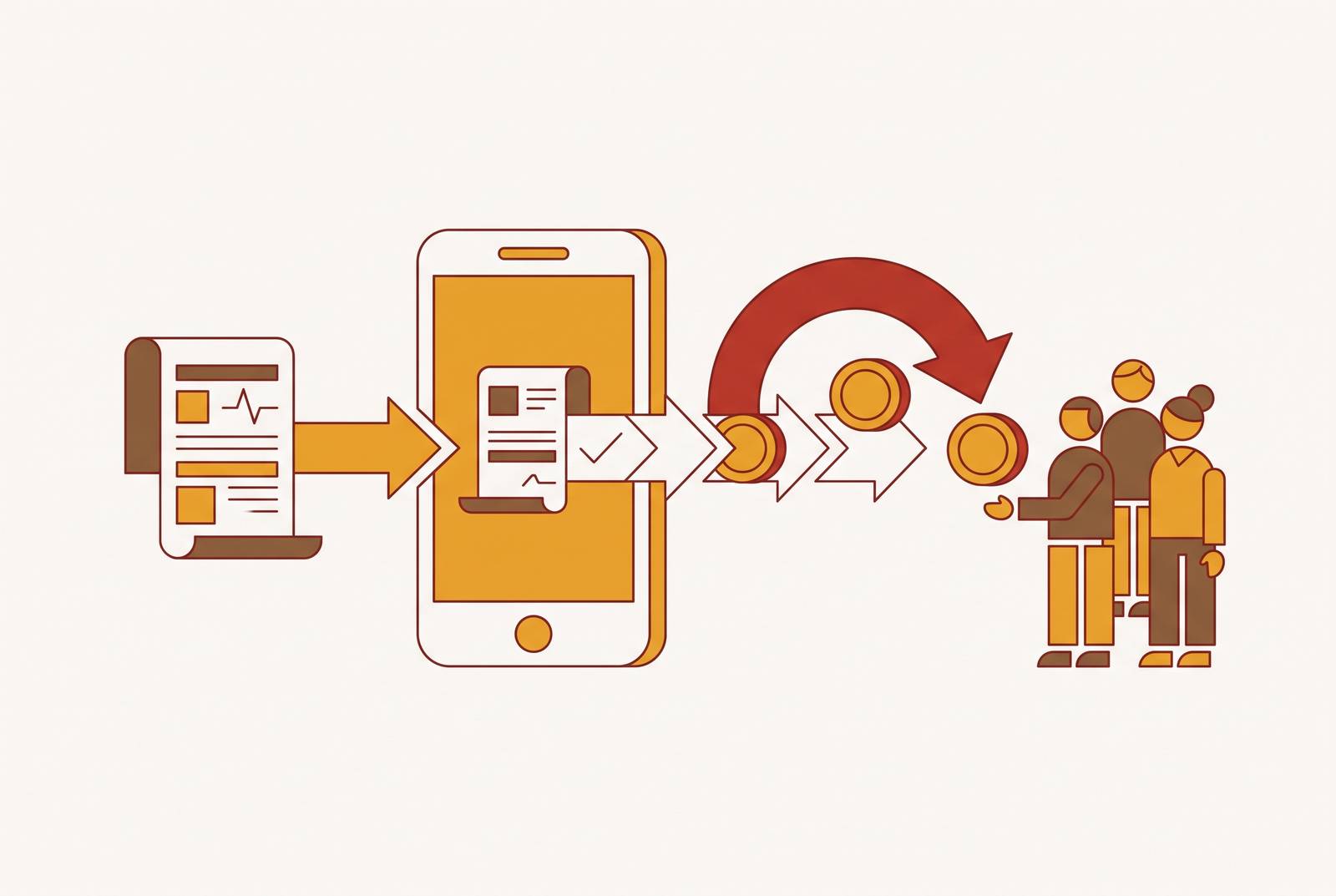
Picture a routine dental cleaning. The employee pays for it out of pocket at the front desk, saves the itemized receipt, and later that week opens the mobile app. They enter the date, the amount, the provider, upload a photo of the receipt, and submit. The administrator adjudicates the claim against plan rules, and within a few business days, the EFT deposit shows up in the employee's checking account.
If the plan runs on paperless or automatic reimbursement instead, that whole submission step disappears. The claim is forwarded automatically once enrollment is set up, reducing the manual steps the employee has to manage.
Along the way, notifications typically confirm the claim was received, whether it was approved or denied, and when funds are moving.
For small business employees specifically, this workflow carries extra weight. There's usually no HR department running interference or chasing down missing paperwork. The employee handles the whole claim, start to finish. The digital app-and-portal system was built to make self-service actually manageable, not just technically possible.